AI-enabled decision support
AI Data Analysis Assistant
A self-service tool where you upload data and ask questions in plain English — it handles the code, the analysis, and the visuals.
Self-service data analysis has always had a ceiling: the moment a business user hits a question that requires code, they are stuck. This tool moves that boundary. Upload a CSV, Excel, or JSON file, ask a question in plain English, and the system writes the Python, executes it, catches and corrects errors, and returns interactive charts with clear explanations.
How It Works
- Drop in a dataset and get an instant auto-report — stats, correlations, outliers, the works
- Ask follow-up questions in natural language. The system writes Python under the hood, runs it through a controlled error-correction loop, then returns Plotly visualizations and plain-language takeaways
- Supports everything from basic EDA to predictive modeling and time-series forecasting
Architecture
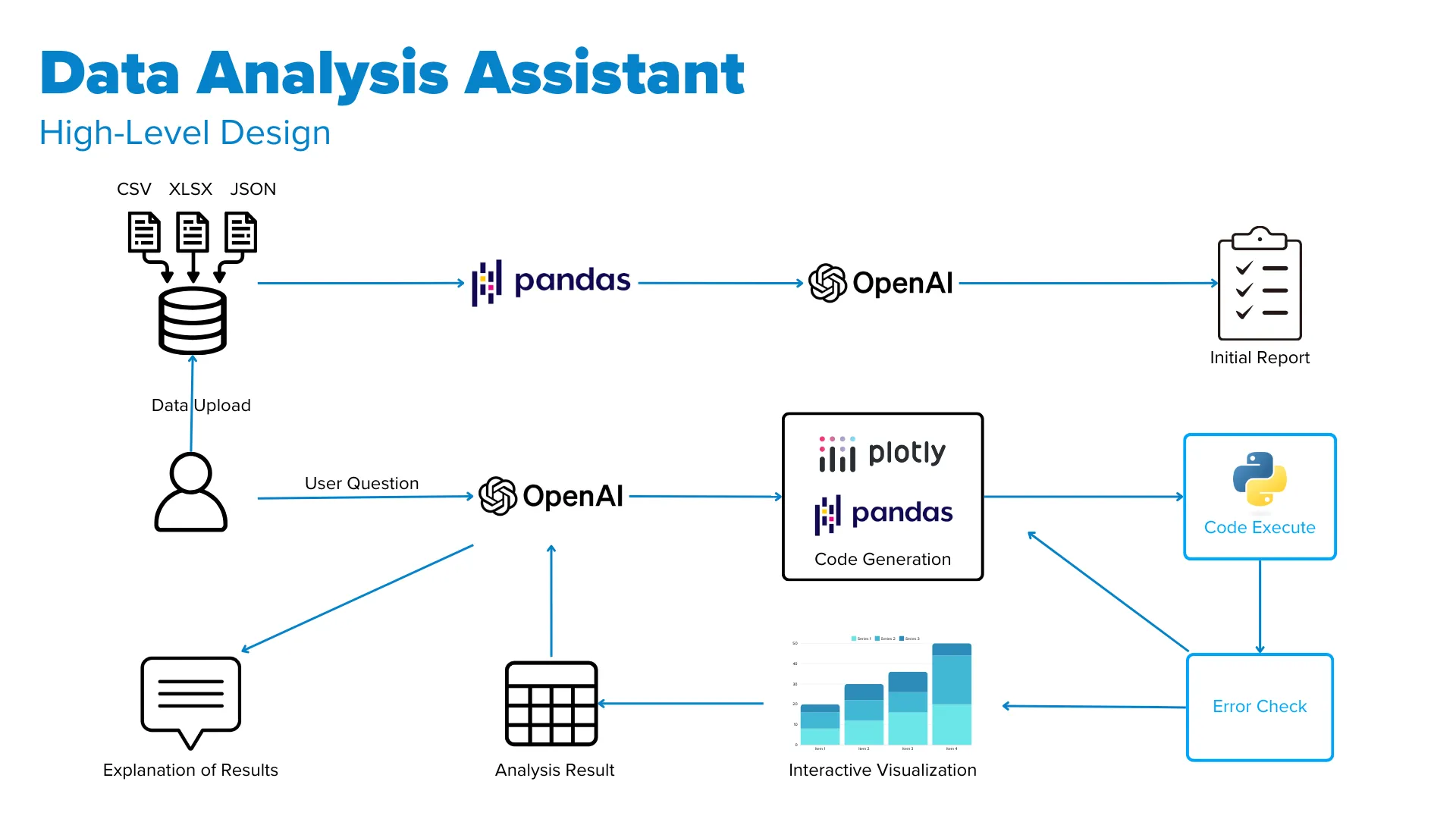
The stack combines Python’s pandas for data aggregation, OpenAI’s GPT API for insight generation and code writing, Plotly for interactive visualizations, and an iterative error-handling system that validates generated code before it returns a result. The prompts and orchestration can be customized for different organizations and use cases—from prioritizing specific analyses to integrating domain-specific workflows.
Demo 1: Customer Churn Analysis
Churn rates by contract type and payment method, ML models to predict churn, and analysis of which features are most predictive of customer retention and loss.
Demo 2: Apple Financial Statement Analysis
Key financial metrics over time, comparison of latest financial ratios, and revenue/asset/free cash flow forecasting using Prophet.
Demo 3: Comparative Retailer Analysis
Side-by-side financial analysis of apparel retailers with bubble charts, box and violin plots, heatmaps, and waterfall charts.